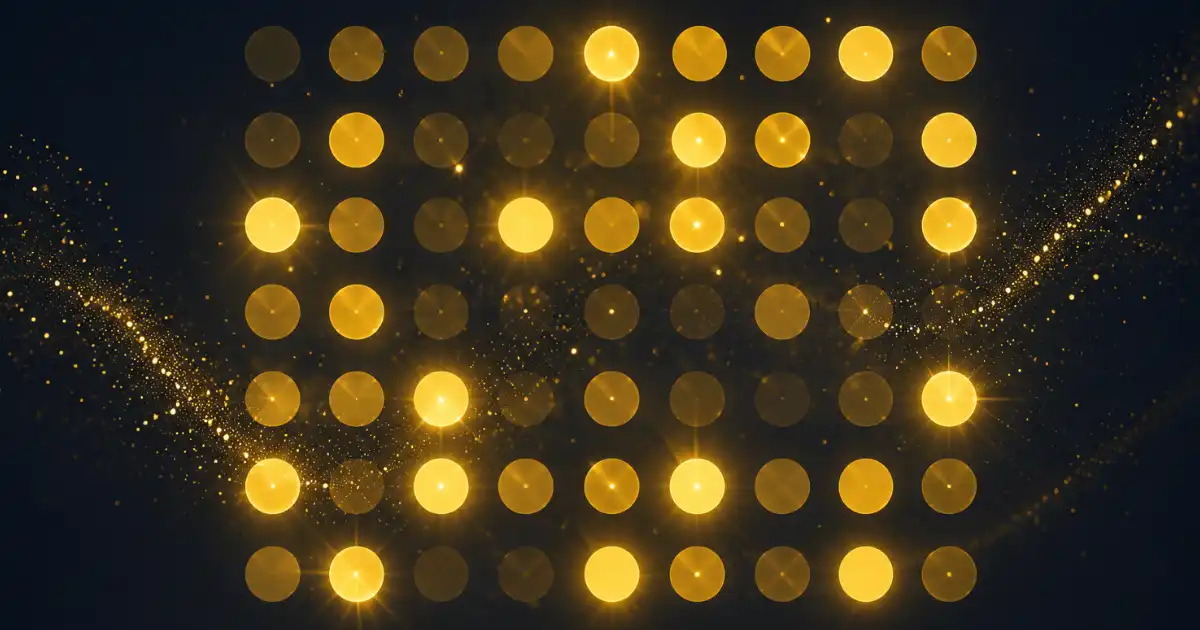
Glittering dots are one of those effects that look complicated but take only a few minutes to build once you know the steps. A grid of tiny gold dots, each one flickering at its own pace, gives you that shimmering, sparkly look you see in title cards and intro animations.
I put this together in Cavalry, the 2D motion graphics software by Scene Group. The whole thing comes down to three pieces working together: a dot, a grid, and a bit of noise to make the grid flicker. Once it clicks, you can reuse the same idea for all kinds of effects.
Here is exactly how I made it, step by step.
Draw the First Dot
Open Cavalry and grab the Ellipse tool from the toolbar. Hold Shift while you draw so you get a perfect circle instead of an oval. This single circle is the dot that will get copied across the whole grid later, so keep it small.
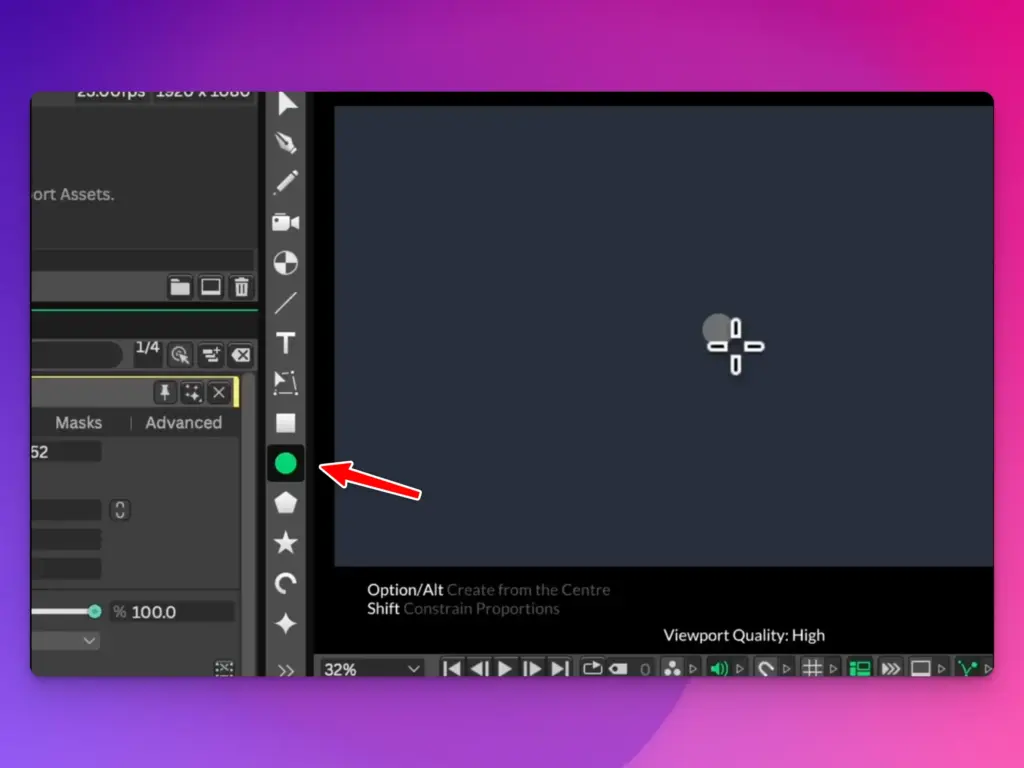
With the circle still selected, find the fill color in the attributes panel and set it to a gold tone. Gold reads as glitter, but you can use any color you want here. Silver, warm white, and soft pink all work nicely depending on the mood you are going for.
That one little circle is the building block for everything that follows.
Turn One Dot Into a Grid
Now for the part that does the heavy lifting. With your circle selected, click the Duplicator icon at the top. This wraps your single dot in a Duplicator, which is a tool that copies your shape as many times as you tell it to.
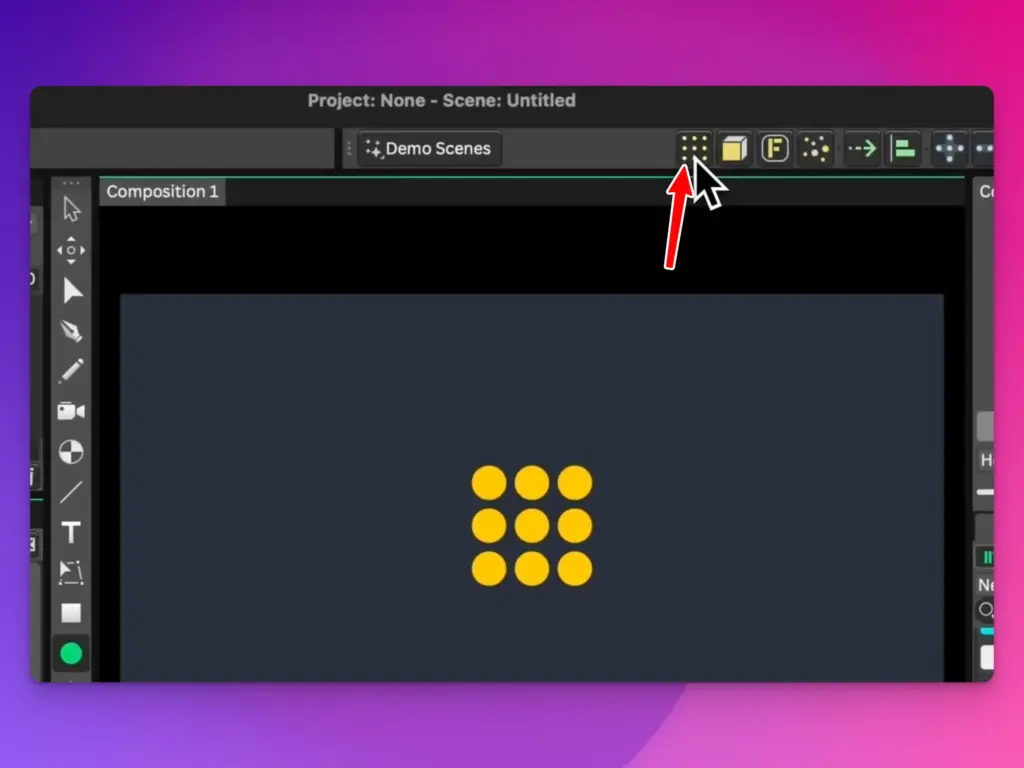
By default the Duplicator might lay your copies out in a line or a circle. You want a grid. Open the Duplicator settings and set the distribution mode to Grid. The moment you do that, your dots spread out into rows and columns.
From here you control the look with a few values. Adjust the width and height of the duplicator to set how far the grid stretches across your canvas. Then set the count to decide how many dots fill that space. More count means a denser field of dots, fewer means a sparser, calmer look.
There is one setting that makes a real difference here, and that is Relax. If your dots are sitting too close together or overlapping, raise the Relax value until they space out evenly. Getting clean spacing now means your glitter looks tidy later instead of clumpy.
Take a second to play with these numbers until the grid feels right. This is the canvas your glitter lives on.
Add the Flicker With Noise
A static grid of gold dots is nice, but it does not sparkle. Sparkle comes from each dot changing brightness on its own, and that is where Noise comes in.
With the Duplicator selected, create a Noise behavior. Noise is a value generator. Instead of giving you one steady number, it gives you a number that drifts and changes over time, and it gives a different value to each copy in your Duplicator. That last part is the secret to the whole effect.
Now you need to connect that changing number to something visual. Take the output node of the Noise and connect it to the Duplicator’s shape opacity value. This tells Cavalry to drive the transparency of each dot using the noise. Some dots go bright, some fade out, and they all do it at slightly different times.
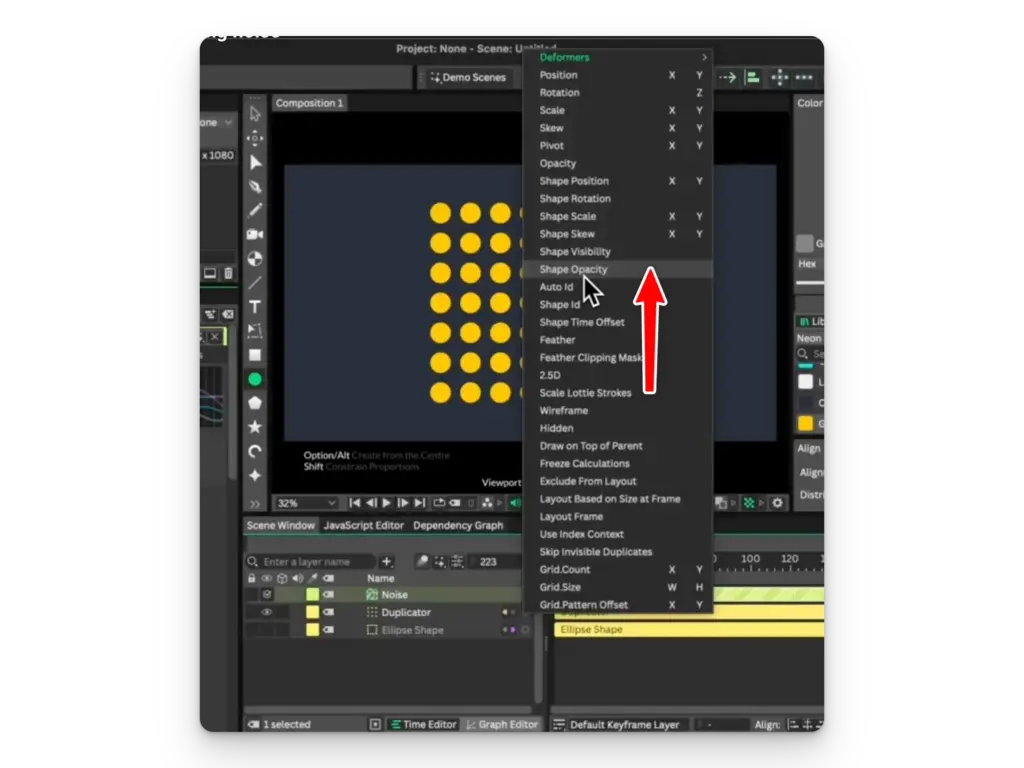
Select the Noise and look at its minimum and maximum values. Set the minimum to -20 and the maximum to 80. The negative minimum is doing something clever. Opacity cannot actually go below zero, so when the noise dips into negative numbers, those dots simply stay fully invisible for a moment before fading back in. That pause is what makes the flicker feel random and natural instead of a smooth, predictable pulse.
Press play. Your grid of gold dots is now glittering, each one twinkling on its own rhythm.
What the Noise Is Actually Doing
It helps to understand Noise a little more, because once you get it, you will reach for it constantly in motion design.
Think of Noise as a smooth random number machine. A plain random value would jump around wildly and look jittery. Noise moves more gently, sliding from one value to the next, which is why animations driven by it feel organic rather than glitchy. It is the same idea behind how natural-looking textures, clouds, and terrain get generated.
The reason it works so well here is that the Duplicator gives every copy its own seed. So even though all your dots share the same single Noise behavior, each dot reads a different slice of it. One dot might be near 80 and glowing while its neighbor sits at -10 and stays hidden. Multiply that across dozens of dots and you get the shimmering effect.
The minimum and maximum values are simply the range the noise is allowed to travel between. Widen that range and the contrast between bright and dark dots grows, making the glitter more dramatic. Narrow it and the whole grid pulses softly and subtly. Pushing the minimum into the negatives, like the -20 we used, buys you those little blackout moments that sell the randomness.
Why the Duplicator Matters So Much
The Duplicator is the other hero here. On its own it is just a copy machine, but the fact that behaviors like Noise affect each copy individually is what turns it into a tool for complex, organic motion.
The Relax setting deserves a mention too. In a tight grid, copies can crowd each other, and Relax gently pushes them apart so the spacing stays even. It is a small thing, but even spacing is the difference between glitter that looks intentional and glitter that looks like a mistake.
Width, height, and count are your composition controls. They decide the shape and density of your dot field before any animation even starts. I find it is worth getting these right first, then layering the Noise on top.
Take It Further
Once you have the basic glitter working, there is a lot you can change. Try driving the dot scale with the Noise instead of opacity, so the dots grow and shrink as they twinkle. Or connect a second Noise to color so the dots shift between gold and white as they flicker.
You can also play with the Noise frequency to speed up or slow down the twinkling. A slower noise gives you a calm, gentle sparkle, while a faster one creates an energetic, buzzing field of light.
The dot, the grid, and the noise are the foundation. Everything fancier is just a variation on those three pieces, so once this clicks you are set to build a whole range of shimmering, glittering animations in Cavalry.